
Docker Engine on macOS
Runs Docker Engine locally. Your existing Docker CLI and context work unchanged.
Learn more →Run Docker Engine on macOS. Licobox gives each container a local domain and lets you open its volumes in Finder.
brew install licobox/licobox-tap/licobox 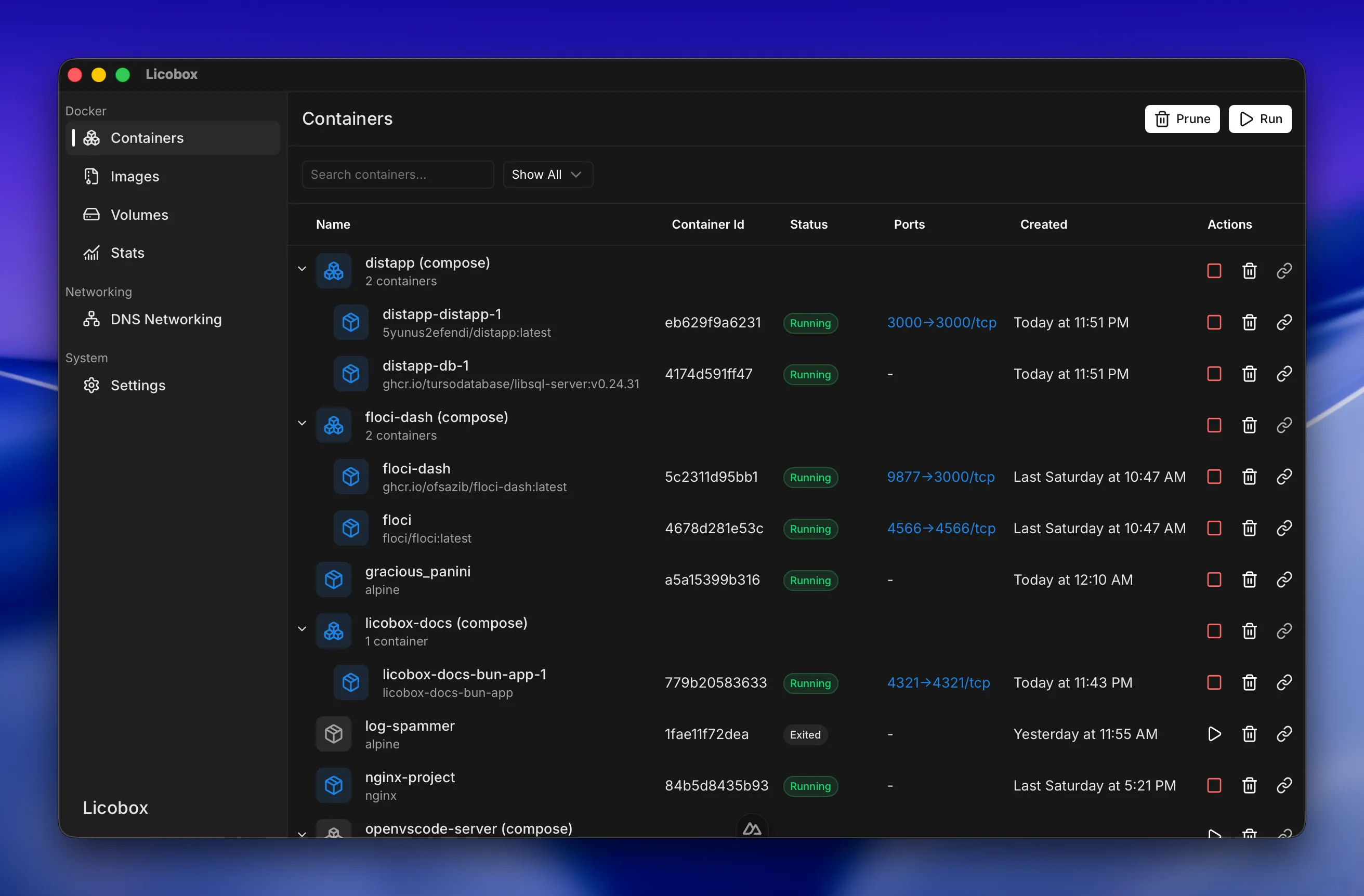
Works with your Docker workflow
Features
Your Docker CLI keeps working. Licobox adds local container domains and Finder access to volumes.
Runs Docker Engine locally. Your existing Docker CLI and context work unchanged.
Learn more →Every container gets a domain such as web.licobox.local, so you do not track host ports.
Learn more →Reach a container by its IP address instead of mapping host ports.
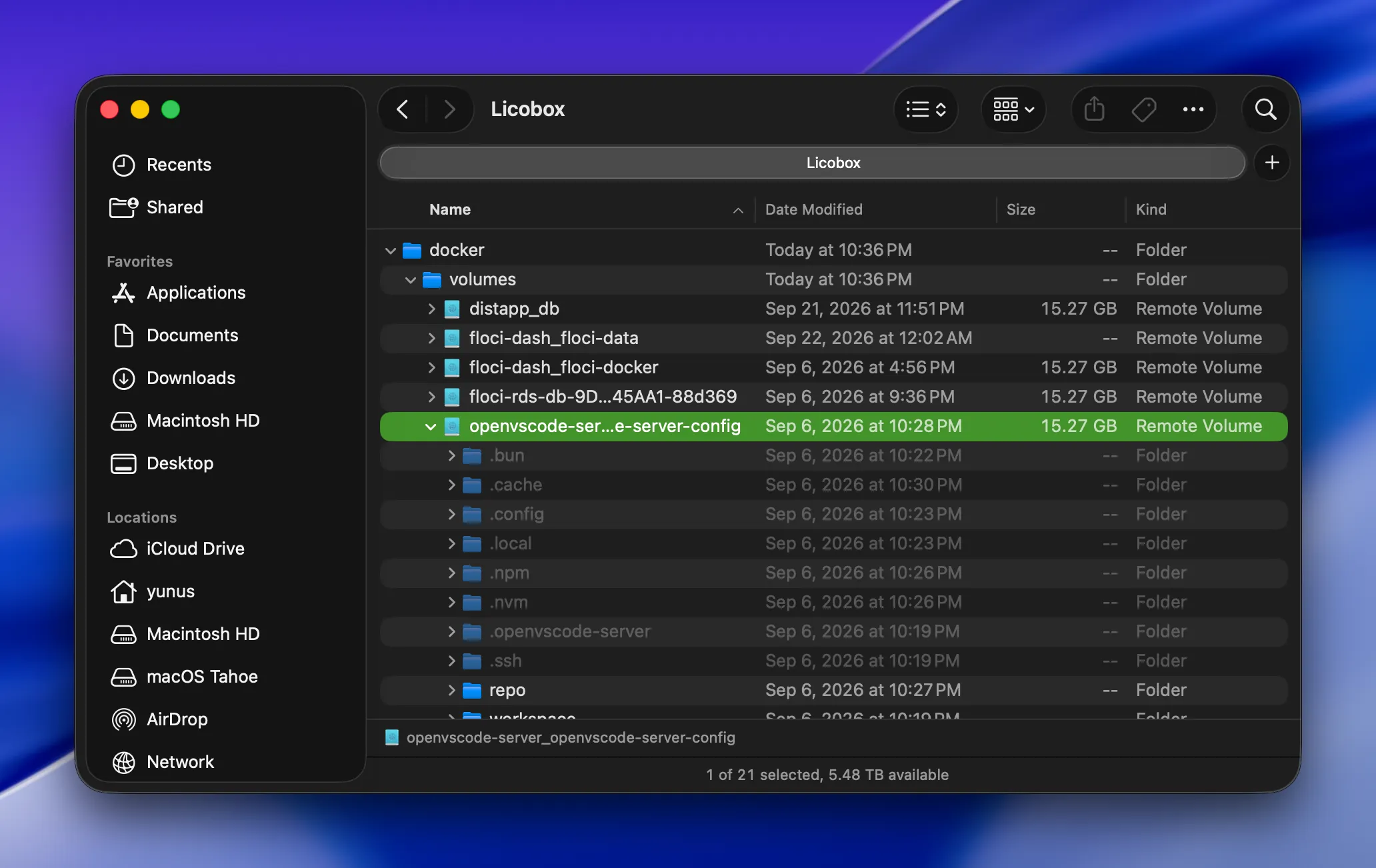
Learn more →Mount a volume into macOS, then open, copy, or edit its files in Finder.
Learn more →Attaches a shell with coreutils, htop, and curl to slim or distroless containers.
Learn more →Memory and disk grow and shrink with use. Idle CPU stays around 0.2% to 0.5% on an M3 MacBook Air.
Learn more →Compare
Both run your Docker CLI. Licobox adds local domains and Finder volumes.
| Feature | Licobox | Docker Desktop |
|---|---|---|
| Docker Engine on macOS | ✓ | ✓ |
| Standard Docker CLI & context | ✓ | ✓ |
| Container access via IP | ✓ | ✕ |
| Local container domains | ✓ | ✕ |
| Browse volumes in Finder | ✓ | ✕ |
| Debug distroless containers | ✓ | ✕ |
| Lightweight idle resource usage | ✓ | ✕ |
Rows reflect each product's default features. See the full feature list.
Start Docker Engine on macOS, then run containers. Licobox forwards published ports for you.
Every container gets a local domain such as web.licobox.local, so you can open a service without tracking host ports.
Inspect running containers without adding tools to the image. Licobox Debug attaches a shell with coreutils, htop, and curl, even for slim or distroless images.
Mount Docker volumes into macOS and browse them in Finder.
Install
Install Licobox, start the engine, and run a container. Add the Docker CLI if you do not have it.
Need the Docker CLI? Install it with
brew install docker docker-compose docker-buildx. This
installs the CLI only, not Docker Desktop.
Read the install guide
FAQ
Licobox runs Linux containers on macOS. It includes Docker Engine and a desktop app.
Install it with Homebrew: brew install licobox/licobox-tap/licobox.
Yes. The core runtime is free for local development. Container access via IP, container debugging, and volume mounts to macOS are in the Pro plan.
Both run Docker Engine and Linux containers on macOS. Licobox adds container domains, IP access, port forwarding, container debugging, and volume mounts in Finder.
Install Licobox, then keep using the Docker CLI you know.